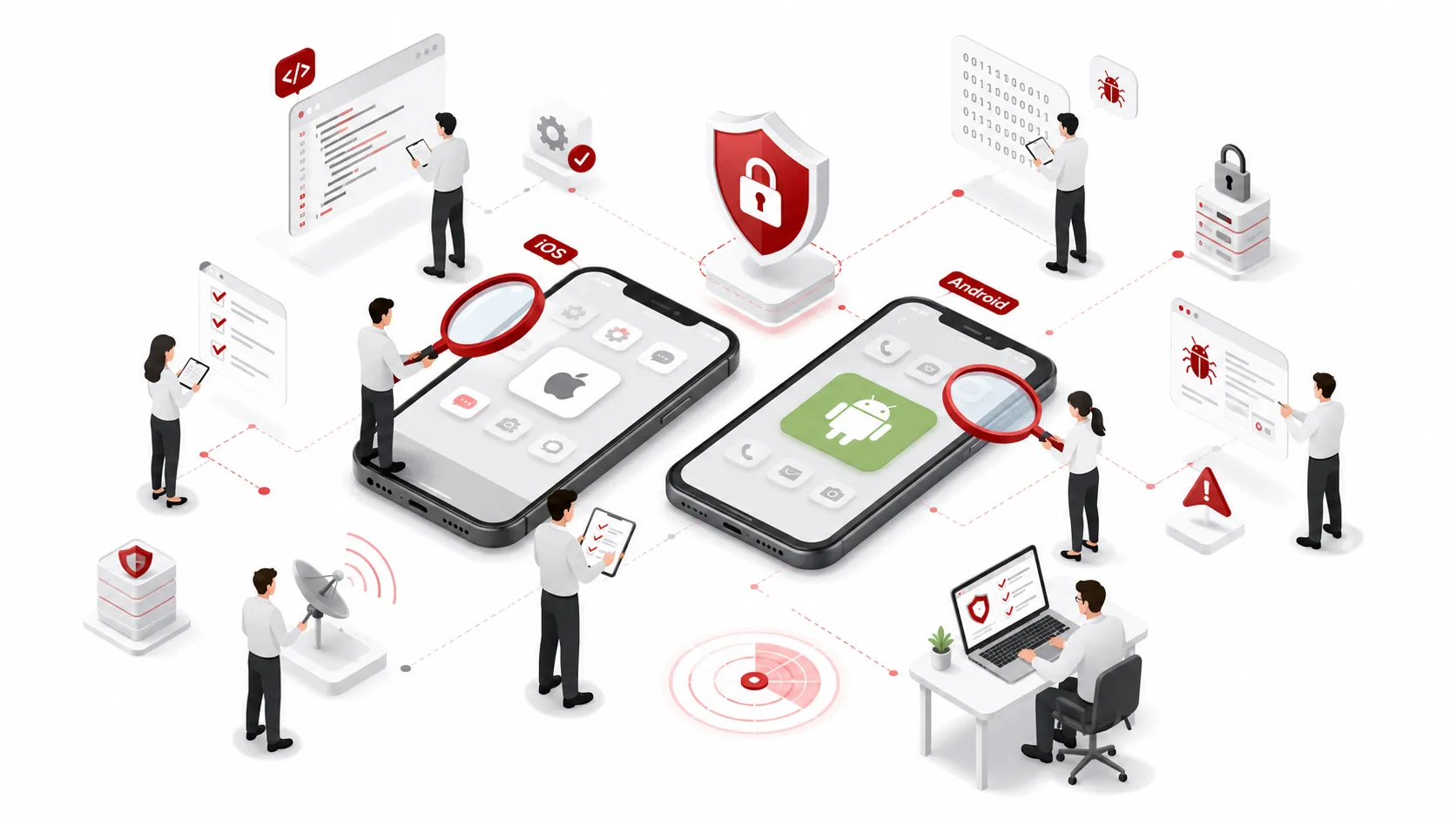
Thorough verification: Manual diagnostics vs. tools.
Eliminate security risks before release and during operation Smartphone Application Diagnostics
We thoroughly diagnose and visualize risks specific to smart devices, such as fraudulent activities resulting from unauthorized device use (modification), theft of communication data, and unauthorized access to in-app data.
Identify Unknown Risks Through “Hybrid Diagnostics” Combining Tool-Based Scans and Manual Inspection
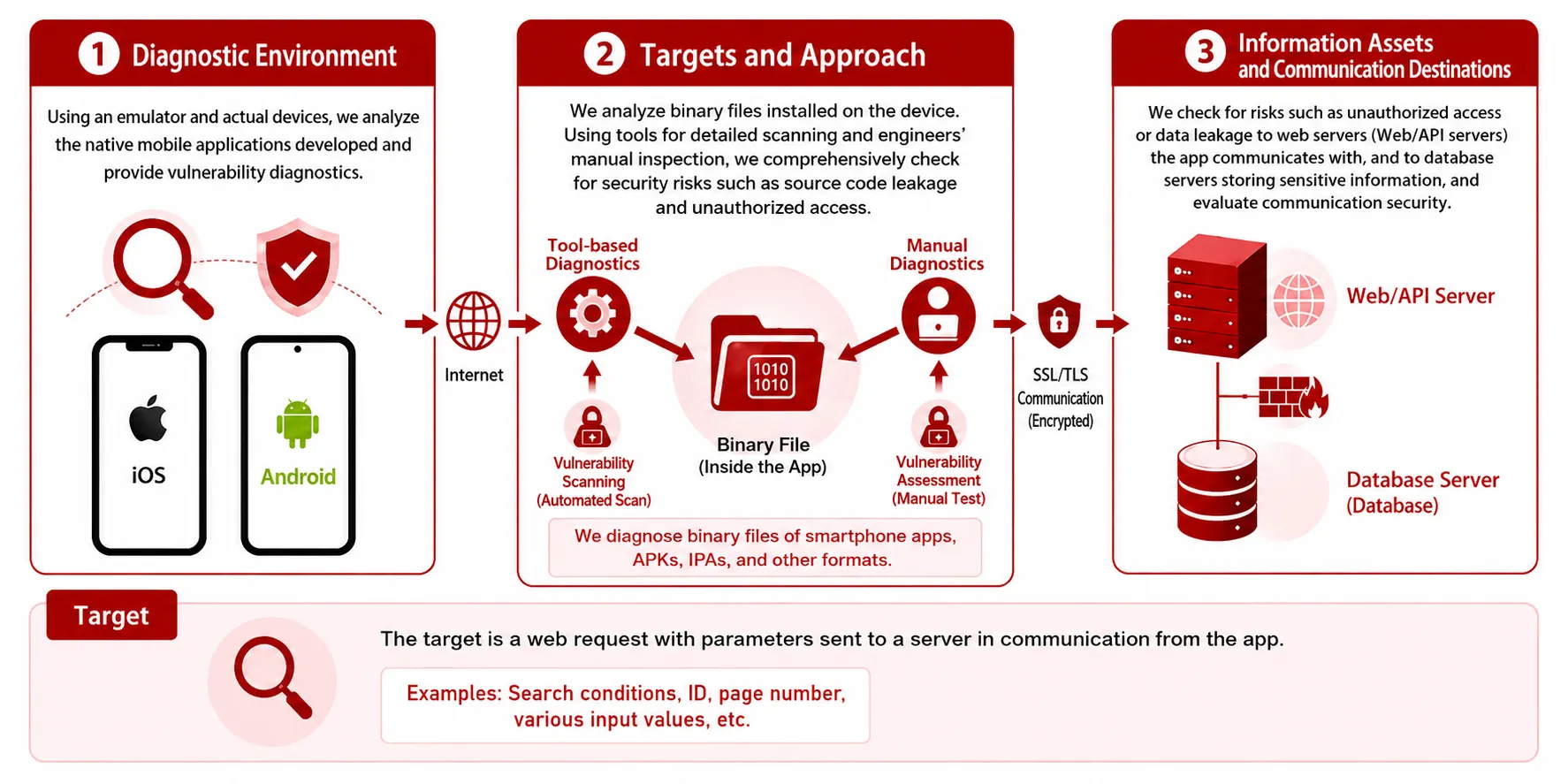
We perform a combination of our proprietary diagnostic tools and manual diagnostics by experienced engineers on apps installed on smart devices.
For areas where tool-based diagnostics alone are fundamentally impossible, or where engineers determine that deeper verification is necessary, we manually inspect physical devices and emulators to prevent attacks by malicious users and data leaks before they occur.
Supports Both Black-Box and
White-Box Testing
We thoroughly verify not only the behavior of installed apps (black-box testing) but also the encryption status of stored data and communications within the apps, checking security from every angle.
Combining the
Strengths of Manual and Automated Tools
We combine the comprehensiveness of scans using our proprietary diagnostic tools with in-depth, case-by-case verification performed by engineers who manually tamper with requests from an attacker’s perspective.
Addressing Risks Unique to Smart Devices
We specialize in risks unique to smartphone apps, such as malicious activities targeting apps resulting from unauthorized device use (modifications, rooting, jailbreaking, etc.), the theft of data transmitted between servers and devices, and unauthorized access to in-app data.
[SERVICE IMAGE & APPROACHES]
Detailed inspection items compliant with the OWASP Mobile Top 10 (2024)
We conduct rigorous verification of apps installed primarily on smart devices based on the following criteria.
| Test Items | OWASP Mobile Top 10 (2024) Comparison |
Verification Items | Verification Items |
|---|---|---|---|
| App Settings, Backups, and Logs | M6, M8, M9 | Configuration Files | Verify backup and debug settings |
| Log Output | Verify whether confidential information is logged | ||
| Authentication Information and Device Data | M1, M6, M9, M10 | Embedding of confidential information | Verify presence of authentication information, encryption keys, etc. |
| Stored Files | Verify confidential information, storage location, permissions, and retention status | ||
| Encryption of Stored Data | Verify presence and method of encryption | ||
| Communication Security | M5 | Encrypted Communication | Verify whether plaintext communication is used |
| Certificate Verification and Communication Destination | Verify the certificate verification process and communication destination | ||
| Authentication Process on the Application Side | M3 | Authentication Process | Verify authentication using device-specific information |
| WebView and External Integration Features | M4, M8 | WebView | Verify settings and handling of external content |
| External Integration Features | Verify Deep Link and cross-app integration settings | ||
| Binary Analysis and Reverse Engineering Resistance | M7 | Decompilation and Obfuscation | Verify analyzability and the state of obfuscation |
| Unnecessary Information in the Binary | Verify the presence of debug information and internal data |
| OWASP Mobile Top 10 2024 | Japanese Translation |
|---|---|
| M1: Improper Credential Usage | Improper Use of Credentials |
| M2: Inadequate Supply Chain Security | Inadequate Supply Chain Security |
| M3: Insecure Authentication/Authorization | Insecure Authentication and Authorization |
| M4: Insufficient Input/Output Validation | Insufficient Input/Output Validation |
| M5: Insecure Communication | Insecure Communication |
| M6: Inadequate Privacy Controls | Inadequate Privacy Controls |
| M7: Insufficient Binary Protections | Insufficient Binary Protections |
| M8: Security Misconfiguration | Security Misconfiguration |
| M9: Insecure Data Storage | Insecure Data Storage |
| M10: Insufficient Cryptography | Insufficient Cryptography |
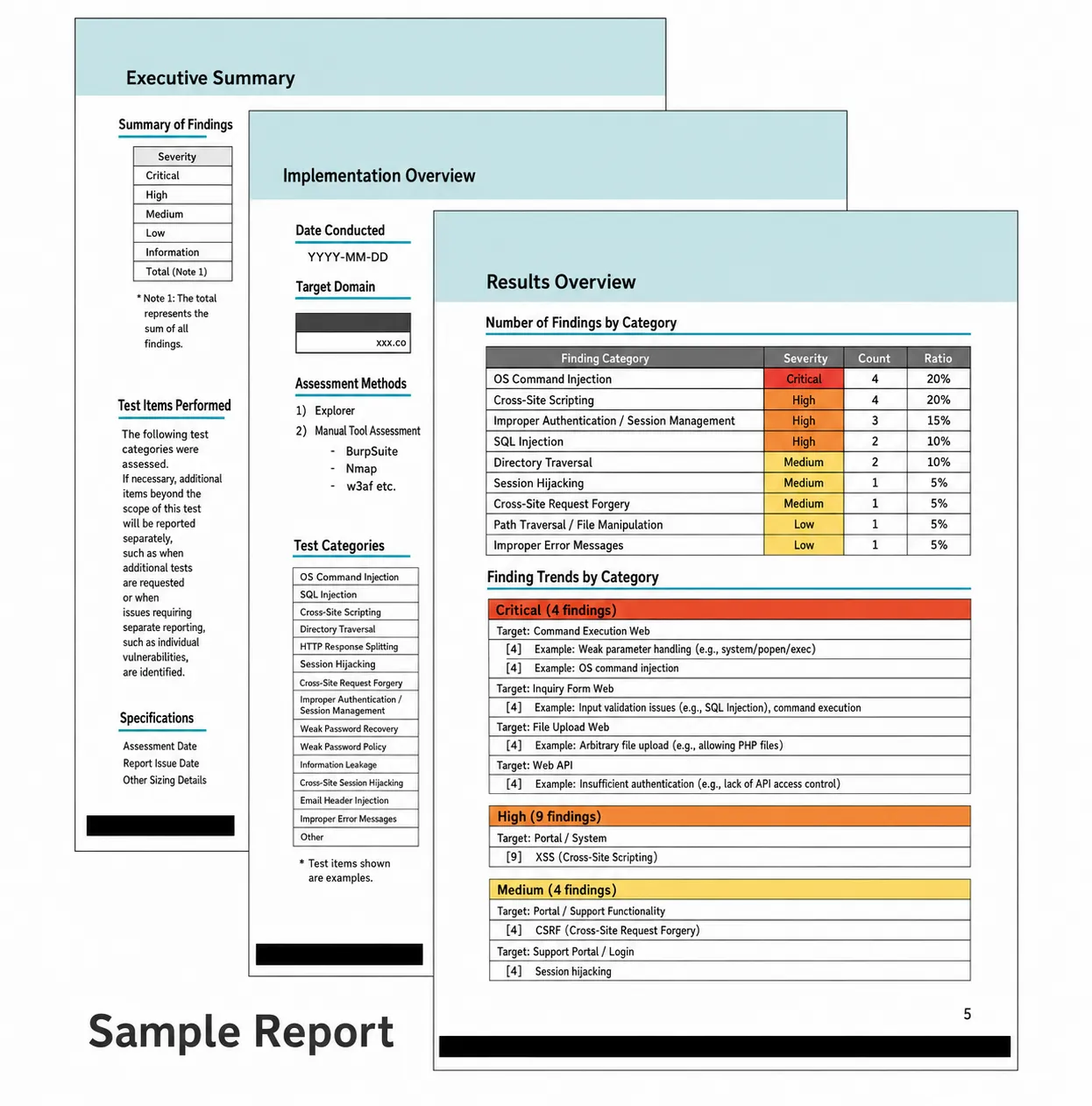
“List of Deliverables”—a quick and detailed summary of the diagnostic results
Upon completion of the diagnosis, we will deliver the following set of deliverables tailored to your environment.
① Results Report Scheduled Deliverables: ✔︎
A detailed report compiled by our engineers that clearly explains the severity of detected vulnerabilities, their specific locations, and recommended remediation procedures.
② Preliminary Diagnosis Report Scheduled Deliverables: ✔︎
First-notification service that immediately contacts the customer if a critical vulnerability is discovered during the assessment to minimize damage.
③ Various Analysis and Matching Data Scheduled Deliverables: ✔︎
We will provide you with a complete set of practical analysis data, including decompilation results, keyword matching results, and screenshots of verification screens.
You can download a sample vulnerability assessment report from our website.
We will submit the assessment report within approximately 5 business days after the assessment is complete (*We also offer an optional debriefing session).
Steps from Start to Completion of the Assessment
STEP 1: Site Review
We will review the app to be assessed and conduct a consultation.
*Please provide the relevant “Interview Sheet” and issue a test account.
STEP 2: Scope Confirmation
We will create a list of screen transitions and URLs to be assessed.
*We may request that you provide test data, etc.
STEP 3: Proposal
We will submit a proposal and a quote based on the scope and details of the assessment. We will also coordinate the assessment schedule.
STEP 4: Application
Please fill out the required information and submit the order form.
*Before the assessment begins, we may ask you to prepare test data or make configuration changes (such as allowing access from the assessment IP address) to your firewall (FW) or other systems.
STEP 5: Assessment
We will perform the assessment using proprietary tools and manual review by our engineers.
*If a critical vulnerability is discovered during the diagnosis, we will immediately notify you via an urgent alert.
STEP 6: Report
Upon completion of the assessment, we will submit a detailed “Assessment Report” within approximately 5 business days.
*We also offer optional briefing sessions.
Preconditions and Factors Affecting the Assessment
Conditions for Commencing the Diagnosis
- The client and contractor must have reached an agreement to provide the pre-release app to a third-party diagnostic company (our company).
- The client must provide the latest version of the target app (e.g., an APK file that can be run on an emulator).
Impact of Running the Diagnostic and Safety Measures
- During the diagnostic process, the system’s processing load may increase, which could result in reduced system performance (such as slower response times).
- A large amount of junk data may be registered in the test database, or a large number of emails regarding inquiries, etc., may be sent to administrators and relevant parties.
Smartphone Application Diagnosis Pricing Plans
| Diagnostic Category | Details | Unit | Cost (excluding tax) |
|---|---|---|---|
| Basic Application Diagnosis | Basic Diagnosis (Tool-Based & Manual Diagnosis) | 1 file | ¥500,000~ |
| Report Preparation | Preparation of a detailed diagnostic results report | 1 set | ¥100,000+ |
| Remediation Verification | Re-verify security after remediation of detected vulnerabilities | – | Included in the initial fee |
We’ll start by providing a preliminary estimate based on your app’s specifications and the number of screens
Whether you want to “verify the security of a mobile app before release” or “have a thorough manual diagnostic performed,” please feel free to contact us with any questions.
One of our dedicated security engineers will assist you with care.